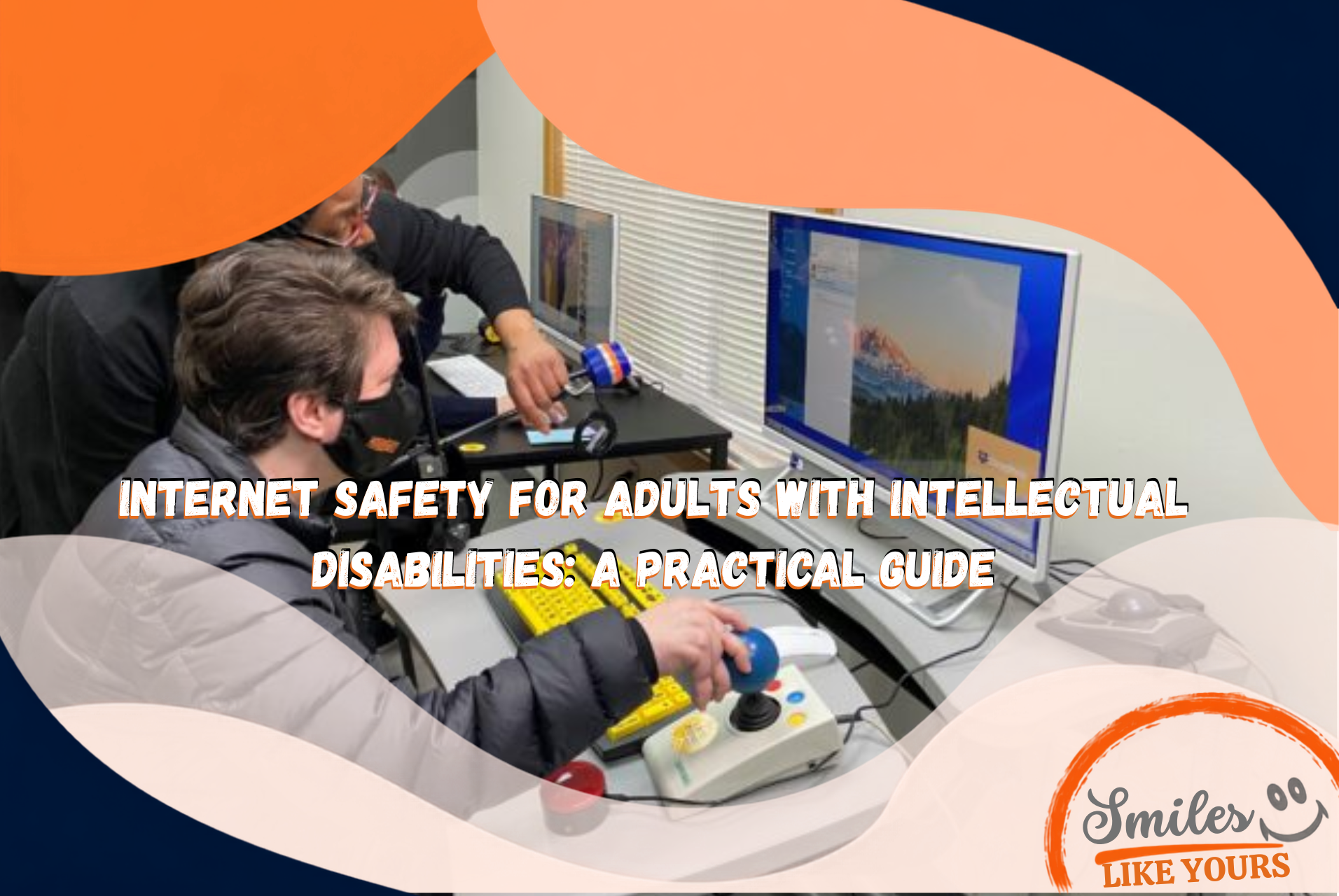
Internet safety for adults with intellectual disabilities is an important life skill. Phones, social media, online shopping, video calls, games, and messaging can create meaningful opportunities for friendship, learning, entertainment, and independence. They can also expose any user to scams, stolen accounts, unwanted contact, misinformation, and pressure to share money or private information.
The goal of internet safety education should not be to remove technology or control every online choice. It should help each adult understand common risks, recognize warning signs, know what to do next, and ask for support without fear of embarrassment or punishment.
This practical guide gives adults, families, caregivers, and support teams clear ways to build safer digital habits while respecting privacy, choice, and independence.
Why Internet Safety Skills Matter

Digital participation is now part of everyday life. Adults may use the internet to communicate with friends, watch videos, join interest groups, schedule transportation, manage benefits, look for activities, make purchases, or explore their community.
Online abuse and fraud can happen to anyone. However, some adults with intellectual or developmental disabilities may encounter additional barriers when messages are intentionally confusing, urgent, emotionally manipulative, or difficult to interpret.
Research from Australia’s government-funded eSafety Commissioner found that adults with intellectual disability can experience bullying, trolling, exposure of private information, and sexual extortion online. The research recommends accessible resources, real-life examples, Easy Read formats, and video-based teaching.
These findings do not mean that every adult faces the same risk or needs the same level of help. Effective support should begin with the person’s abilities, goals, communication preferences, online activities, and desired level of privacy.
A Simple Safety Rule: Stop, Check, and Ask
A short routine is easier to remember than a long list of warnings. Families and support teams can practice three steps:
- Stop: Do not click, reply, pay, download, or share information immediately.
- Check: Look at who sent the message, what they want, and whether the request makes sense.
- Ask: If anything feels confusing, urgent, secret, frightening, or too good to be true, ask a trusted person before continuing.
The trusted person should respond calmly. If asking for help always leads to losing the phone, being criticized, or feeling ashamed, the adult may hide the next suspicious interaction. A supportive response makes future reporting more likely.
1. Learn the Most Common Online Warning Signs
Scammers often create urgency or strong emotion because they do not want the person to slow down and verify the story. A suspicious message may say:
- You won a prize but must pay a fee first
- Your account will be closed unless you act immediately
- A government agency needs payment today
- A friend or family member is in trouble and needs money
- A new online friend needs gift cards, cash, cryptocurrency, or banking information
- You must keep the conversation or payment secret
- You need to click a link to fix a delivery or account problem
- Someone wants private photos or threatens to share existing images
The Federal Trade Commission notes that scammers may target specific communities, including people with disabilities. The FTC also emphasizes that talking with someone trusted can reduce the chance of losing money to a scam.
Practice identifying warning signs with realistic examples. Use sample texts, emails, social media messages, and phone calls. Include both obvious scams and messages that look believable.
2. Protect Personal Information
Personal information can be used to access accounts, impersonate someone, steal benefits, or create pressure. Adults should know which details require extra care.
Information that should not be sent to an unexpected caller or online contact includes:
- Social Security numbers
- Bank account and payment card information
- Passwords and verification codes
- Benefit or health insurance numbers
- Photos of identification cards
- Home address, daily schedule, or current location
- Private photographs
A familiar name or logo does not prove that a message is real. If a bank, store, government agency, provider, or family member appears to make an unusual request, contact that person or organization using a phone number or website already known to be correct. Do not use the contact information inside the suspicious message.
3. Use Strong and Different Passwords
Reusing the same password can turn one stolen login into several compromised accounts. A safer password is long, unique, and difficult for another person to guess.
The Cybersecurity and Infrastructure Security Agency recommends strong passwords and a password manager. A password manager can create and store unique passwords so the user does not need to memorize every one.
Support should match the individual. Options may include:
- Learning to use a password manager
- Creating a memorable passphrase when a manager is not practical
- Using approved biometric access, such as a fingerprint or face recognition
- Keeping a written password record in a secure, private location when appropriate
- Identifying who may help recover an account
Passwords should not be shared casually. If an adult chooses to involve a trusted supporter, the arrangement should be clear about which accounts require help, where credentials are stored, and when access is appropriate.
4. Turn On Multifactor Authentication
Multifactor authentication, often called MFA or two-step verification, asks for another form of proof after a password. This might be a code, an authenticator app, a fingerprint, or a security key.
CISA recommends using MFA wherever it is available because it adds protection when a password is stolen. Start with the accounts that can cause the most harm if compromised:
- Banking and payment apps
- Social media
- Online shopping
- Health or benefits portals
Teach one important rule: never give an unexpected caller or message sender a verification code. A real support person should explain why a code is needed and use a trusted process.
5. Make Social Media Safer
Social media can help adults maintain friendships and find communities built around shared interests. Safety education should preserve those benefits while teaching boundaries.
Useful skills include:
- Reviewing who can see posts, photos, and location information
- Accepting requests only from people the adult recognizes or has verified
- Knowing that profile photos and personal stories can be copied
- Blocking and reporting accounts that threaten, pressure, or repeatedly contact the person
- Not sending money or private images to an online contact
- Telling a trusted person before meeting an online contact in person
- Meeting, when appropriate, in a public place with a clear safety plan
Rules should be explained with reasons and examples. Simply saying “do not talk to strangers” is often unrealistic online, where people routinely meet through games, groups, and shared interests. A better goal is learning how to verify, set boundaries, notice pressure, and leave an unsafe conversation.
6. Recognize Payment and Shopping Scams
Payment requests deserve special attention. According to the FTC’s gift card scam guidance, a legitimate business or government agency will not demand payment through a gift card and ask for the number and PIN.
Stop before paying when someone:
- Demands gift cards, cryptocurrency, wire transfers, or payment app transfers
- Creates an emergency and says payment must happen immediately
- Promises a prize, job, investment, or relationship in exchange for money
- Asks for a refund after sending a check
- Refuses to provide normal purchase or refund information
- Says the payment must remain secret
For online shopping, practice checking the seller, total cost, delivery details, return policy, and payment method. Spending supports can include purchase alerts or an agreed review step for unfamiliar sellers without removing the adult’s ability to make everyday choices.
7. Keep Devices and Apps Updated
Software updates repair security problems that criminals may use to access information or accounts. CISA recommends installing updates promptly.
A practical routine may include:
- Turning on automatic updates
- Reviewing app permissions
- Removing apps that are no longer used
- Using a screen lock
- Backing up important information
- Checking privacy and security settings on a regular schedule
A visual checklist can help the adult complete these steps with less prompting over time.
8. Know How to Respond When Something Goes Wrong
Even careful people can be deceived. Fast action may limit the harm.
If an account, payment, or message seems unsafe:
- Stop communicating with the suspicious person.
- Do not send more money, information, or images.
- Save screenshots, messages, usernames, receipts, and transaction details.
- Tell a trusted supporter without deleting the evidence.
- Change affected passwords and turn on MFA.
- Contact the bank, card company, payment app, or gift card company immediately.
- Use the platform’s block and report tools.
- Report fraud through ReportFraud.ftc.gov.
If there is immediate danger, contact 911. Virginia’s Adult Protective Services financial exploitation resource explains how suspected exploitation of a vulnerable adult may be reported. The 24-hour Virginia APS hotline is 800-552-5019, with TTY assistance at 800-464-9950.
Do not blame the person who experienced the scam or abuse. Shame can prevent disclosure, delay reporting, and make it harder to seek help.
How to Teach Internet Safety Accessibly

Internet safety for adults with intellectual disabilities is most effective when it is practiced, personalized, and connected to real online activities.
Use plain language
Explain one concept at a time. Replace technical terms with short definitions and concrete examples.
Practice with realistic examples
Review sample messages and ask: Who sent this? What do they want? Is there pressure? What personal information are they requesting? What should happen next?
Use pictures and visual reminders
A card near the computer or a note on the phone can show the Stop, Check, and Ask routine. Visuals can also identify the trusted people the adult may contact.
Practice repeatedly
One conversation is not enough. Include digital safety in regular life-skills practice, especially when the person begins using a new app, account, payment method, or device.
Teach recovery, not perfection
The adult should know what to do after clicking a link, sharing information, or sending money. A recovery plan is as important as prevention.
Respect communication and decision-making
Some adults may want help reading messages. Others may want assistance only when a payment or in-person meeting is involved. Support should be agreed upon, clearly defined, and reviewed as skills and circumstances change.
Support Safety Without Removing Independence
Internet restrictions can sometimes reduce immediate risk, but unnecessary control can also limit privacy, relationships, self-expression, and opportunities to learn. The goal should be the least intrusive support that works for the person.
Questions for the adult and support team may include:
- Which online activities are important to the person?
- What risks does the person already recognize?
- Which situations feel confusing or uncomfortable?
- Who does the person trust for help?
- When does the person want privacy?
- Which purchases or contacts require an agreed safety check?
- What should supporters do if they notice a possible scam?
- How will the plan change as the person’s skills grow?
This approach complements supported decision-making: provide accessible information, help the adult compare risks and options, and support the person in communicating their own decision.
A Quick Internet Safety Checklist
Before clicking, replying, sharing, or paying, ask:
- Do I know who this person or organization really is?
- Can I verify the request using another trusted method?
- Are they rushing, threatening, flattering, or asking for secrecy?
- Are they requesting money, passwords, codes, identification, or private photos?
- Does the link or account name look unusual?
- Would I feel comfortable showing this message to someone I trust?
- Should I stop and ask before continuing?
How Day Support Can Reinforce Digital Life Skills
Digital safety can be practiced as part of broader daily living, communication, money management, and community participation skills. The strongest learning happens when examples are meaningful to the individual.
Smiles Like Yours describes its Adult Day Support as a place where adults with developmental disabilities build friendships, practice life skills, participate in meaningful activities, and connect with the community. Families can ask any day support provider how technology, communication, personal boundaries, safe purchasing, and decision-making are incorporated into person-centered skill building.
For additional practical ideas, review Life Skills for Adults with Disabilities: 15 Practical Activities.
Frequently Asked Questions
Should an adult with an intellectual disability use social media?
That decision should be based on the individual rather than the diagnosis alone. Social media can support friendship, recreation, and self-expression. Accessible instruction, privacy settings, boundary skills, and a trusted help plan can reduce risk while preserving participation.
What is the easiest internet safety rule to remember?
Use “Stop, Check, and Ask.” Stop before acting, check the sender and request, and ask a trusted person when a message involves urgency, secrecy, money, private information, threats, or confusion.
What information should never be shared in response to an unexpected message?
Do not send passwords, verification codes, Social Security numbers, bank information, benefit numbers, identification documents, private images, or detailed location information to an unexpected caller or online contact.
Is a request for payment by gift card a scam?
The FTC states that legitimate businesses and government agencies do not require payment by gift card and ask for the number and PIN. Stop communicating, keep any receipts, contact the gift card company, and report the fraud.
What should a family do if money was already sent?
Act quickly. Contact the bank, card issuer, payment app, wire company, or gift card company and ask whether the transaction can be stopped or reversed. Preserve evidence, secure affected accounts, and report the incident through ReportFraud.ftc.gov. Contact law enforcement or Virginia Adult Protective Services when appropriate.
How can supporters help without taking over?
Ask the adult what help they want, teach skills in accessible ways, create an agreed safety plan, and use the least restrictive support that is effective. Review the plan as confidence and abilities grow.
Build Confidence Alongside Safety
Effective internet safety for adults with intellectual disabilities is not achieved by creating fear. It grows through clear information, realistic practice, supportive relationships, and knowing how to recover when something goes wrong.
Adults with intellectual disabilities deserve opportunities to participate in digital life while developing the skills to recognize pressure, protect private information, make informed choices, and seek help. Families and support teams can make those skills easier to use by keeping the rules simple, practicing them regularly, and responding without blame.
If your family is exploring life-skills support, Adult Day Support, Community Engagement, Supported Living, or other developmental disability services in Central Virginia, review the Smiles Like Yours services or schedule a conversation with the SLY team.
This article provides general educational information and is not legal, financial, cybersecurity, medical, protective-services, or case-specific advice. Online threats, reporting procedures, services, and technology can change. Contact the appropriate platform, financial institution, law-enforcement agency, Adult Protective Services office, or qualified professional for help with an individual situation.